TempDB has consistently been regarded as one of the most essential and, historically, overlooked components within SQL Server. When TempDB goes wrong, it rarely fails quietly. A single runaway query, poorly designed report, or unexpected workload spike can consume TempDB space and bring an entire instance to its knees.
With SQL Server 2025, Microsoft has made meaningful investments to change that story. TempDB is no longer just something you monitor and hope behaves; it’s now something you can govern, recover quickly from, and observe with far greater clarity.
We will break down the key TempDB improvements in SQL Server 2025, focusing on three major areas:
- TempDB governance with Resource Governor
- Faster rollback and recovery using Accelerated Database Recovery (ADR)
- Enhanced monitoring, telemetry, and diagnostics
Why TempDB Needed Attention
Before diving into the new features, let’s set the context. TempDB is a shared system database used by:
- Temp tables and table variables
- Sorts, hashes, and spills
- Version store (row versioning)
- Large analytical and reporting workloads
Historically, SQL Server offered very limited control over any single workload in TempDB.
TempDB Governance with Resource Governor
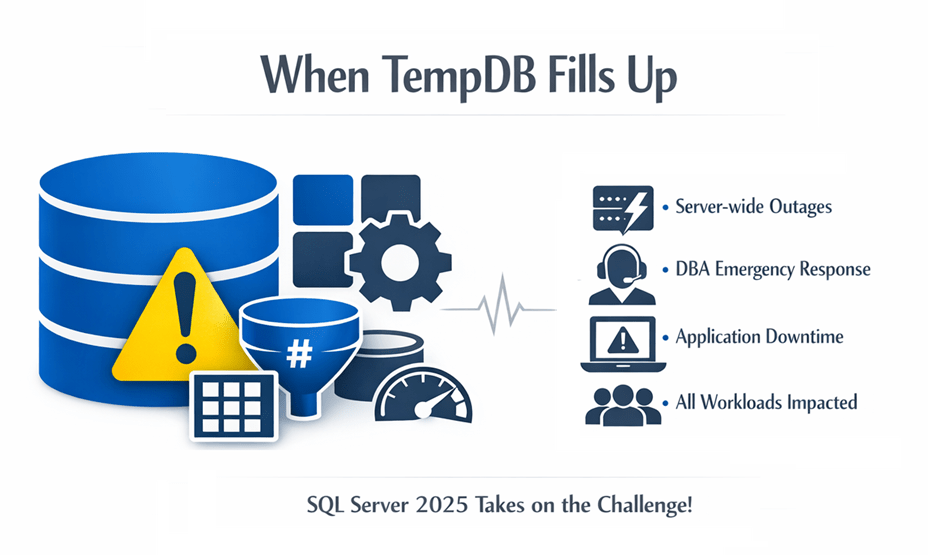
The Problem: Runaway TempDB Usage
One of the most common TempDB failure patterns is simple: A single query or workload consumes excessive TempDB space and impacts the entire instance. Prior versions of SQL Server offered no native way to cap TempDB usage per workload. You could monitor it; but not stop it in time.
The Solution: TempDB Limits per Workload Group
SQL Server 2025 introduces the ability to enforce TempDB usage limits using Resource Governor. You can:
- Define per–workload-group TempDB thresholds
- Automatically terminate queries that exceed their assigned limit
- Protect the rest of the instance from collateral damage
- Limits apply to TempDB data files only (not the log).
When a query exceeds its configured TempDB allocation, SQL Server:
- Aborts the query
- Raises Error 1138
- Allows all other workloads to continue normally
This is a fundamental shift, from reactive monitoring to proactive prevention.
Why This Matters
With TempDB governance in place, you can:
- Isolate ad‑hoc reporting workloads
- Protect mission‑critical OLTP systems
- Prevent TempDB driven outages
- Safely host mixed workloads on the same instance
TempDB finally joins CPU and memory as a first-class governed resource.
Important Limitations
- Only TempDB data files are governed
- TempDB log space is not limited by Resource Governor
- Common version store pages are not governed, as they are shared across workloads
Best Practices
- Avoid setting extremely low limits on the default workload group
- Prefer percentage-based limits in environments where TempDB size may change
- Monitor usage patterns before enforcing strict caps
- Use separate workload groups for:
- ETL / batch jobs
- Reporting workloads
- Ad-hoc user activity
Enable TempDB Usage Limits
1. Ensure Resource Governor Is Enabled
Resource Governor must be enabled at the instance level:
ALTER RESOURCE GOVERNOR ENABLE;
GO
ALTER RESOURCE GOVERNOR RECONFIGURE;
GO
2. Choose How You Want to Limit TempDB Usage
SQL Server 2025 provides two options for limiting TempDB usage per workload group:
| Method | When to Use |
| GROUP_MAX_TEMPDB_DATA_MB | Fixed TempDB size environments |
| GROUP_MAX_TEMPDB_DATA_PERCENT | Dynamic or resizable TempDB environments |
If both are specified, the fixed MB limit takes precedence.
3. Configure a TempDB Limit on a Workload Group
Option A: Fixed Limit (MB)
Example: Limit the default workload group to 20 GB of TempDB:
ALTER WORKLOAD GROUP [default]
WITH (GROUP_MAX_TEMPDB_DATA_MB = 20480);
GO
ALTER RESOURCE GOVERNOR RECONFIGURE;
GO
This enforces a hard ceiling regardless of TempDB size changes.
Option B: Percentage-Based Limit
Example: Limit a workload group to 30% of total TempDB
ALTER WORKLOAD GROUP [default]
WITH (GROUP_MAX_TEMPDB_DATA_PERCENT = 30);
GO
ALTER RESOURCE GOVERNOR RECONFIGURE;
GO
This is recommended when TempDB size may grow or shrink over time.
4. (Optional) Create a Custom Workload Group
You can isolate specific applications, users, or ETL workloads:
CREATE WORKLOAD GROUP ReportingWG
WITH (GROUP_MAX_TEMPDB_DATA_PERCENT = 15);
GO
ALTER RESOURCE GOVERNOR RECONFIGURE;
GO
Workload groups are commonly paired with a classifier function to route sessions appropriately.
What Happens When the Limit Is Hit?
- SQL Server cancels the query before TempDB grows further
- The request fails with Error 1138
- Other workload groups remain unaffected
- SQL Server tracks violations internally
Monitoring TempDB Usage by Workload Group
You can monitor enforcement and violations using DMVs:
SELECT name, tempdb_data_space_kb, peak_tempdb_data_space_kb, total_tempdb_data_limit_violation_count
FROM sys.dm_resource_governor_workload_groups;
This DMV exposes current usage, peak usage, and violation counts per workload group.
Newly relevant columns include:
- tempdb_data_space_kb
- peak_tempdb_data_space_kb
- total_tempdb_data_limit_violation_count
These values allow DBAs to:
- Identify which workload group is consuming TempDB
- See peak vs. current usage
- Detect how often TempDB limits are violated
This level of workload‑scoped TempDB telemetry did not exist before SQL Server 2025.
Accelerated Database Recovery (ADR) Benefits for TempDB
The Traditional Pain Point
In TempDB heavy environments, rollback and recovery have historically been unpredictable:
- Large transactions could take minutes, or longer, to roll back
- Restart and failover times increased with workload size
- Log truncation could lag under sustained TempDB pressure
How ADR Changes the Game
Accelerated Database Recovery (ADR) fundamentally redesigns how SQL Server handles transaction rollback. In SQL Server 2025, ADR delivers tangible benefits for TempDB intensive workloads.
Once enabled, TempDB gains the same core ADR benefits as user databases:
1. Instantaneous Rollback
- Long‑running TempDB transactions can be rolled back immediately
- No long “undo” phase after query cancellation or failure
2. Aggressive TempDB Log Truncation
- TempDB log no longer grows uncontrollably due to long transactions
- Especially helpful when temp tables are involved in large operations
3. Faster Crash Recovery
- SQL Server startup time is no longer tied to the length of TempDB transactions
- Recovery time becomes consistent and predictable
Rather than growing with the amount of work performed, rollback now finishes in constant time.
Real-World Impact
ADR is especially valuable for:
- Reporting systems using large temp tables
- ETL and batch processing workloads
- Systems with frequent query cancellations or timeouts
This means fewer “waiting for rollback” scenarios and far less uncertainty during recovery events.
How to Enable ADR for TempDB (SQL Server 2025)
SQL Server enables ADR for TempDB by applying the same database‑scoped configuration syntax used for user databases to the TempDB system database.
ALTER DATABASE TempDB
SET ACCELERATED_DATABASE_RECOVERY = ON;
GO
This command explicitly enables ADR for TempDB in SQL Server 2025. You can enable ADR without restarting the server.
When You Should Consider Enabling ADR for TempDB
ADR for TempDB is most beneficial when:
- You experience long rollbacks involving temp tables
- TempDB log growth is a recurring operational problem
- You run heavy ETL, reporting, or analytics workloads
- You want predictable recovery behavior after failures
Proceed cautiously if:
- The system creates/drops temp tables at very high rates
- You have extreme concurrency with short‑lived temp objects
- You are running mission‑critical workloads without prior testing
Telemetry Improvements When ADR Is Enabled for TempDB
SQL Server 2025 allows you to enable Accelerated Database Recovery (ADR) for TempDB, and Microsoft documents that this creates two independent version stores within TempDB.
Version Stores Now Tracked Separately
When ADR is enabled for TempDB:
- Traditional Version Store
- Used for row versions generated by user databases without ADR
- Persistent Version Store (PVS)
- Used for TempDB transactions when ADR is enabled
Why This Matters for Telemetry
Previously:
- Version store growth in TempDB was opaque
- It was difficult to distinguish why TempDB was growing
Now:
- DBAs can distinguish ADR‑related TempDB growth from classic versioning growth
- You can make disk sizing decisions based on real usage patterns, not guesswork.
Improved Space Attribution in TempDB DMVs
Existing DMVs such as, tempdb.sys.dm_db_file_space_usage, still exist, but their output becomes significantly more meaningful in SQL Server 2025 due to:
- Enabling ADR creates separate version stores.
- More predictable allocation patterns under Resource Governor governance
Microsoft documentation clearly warns that enabling ADR can increase TempDB data space usage because PVS data now lives there.
What This Means for SQL Server Professionals
Together, these improvements fundamentally reshape how SQL Server manages TempDB:
- Governance prevents outages before they happen
- ADR ensures fast, predictable recovery
- Monitoring improvements delivers actionable insights
For organizations running mixed workloads, reporting-heavy systems, or mission‑critical SQL Server environments, TempDB is no longer the wildcard it once was.
SQL Server 2025 turns TempDB from a liability into a managed, observable, and resilient component of the platform. As a result, these enhancements are for you if you’ve ever:
- TempDB filled up, triggering an alert.
- Waited endlessly for rollback to complete
- Had to explain a TempDB driven outage to leadership
While TempDB improvements in SQL Server 2025 may not attract the same attention as new AI features, they deliver some of the most impactful operational changes in this release.



Be the first to comment on "TempDB Improvements in SQL Server 2025"