Designing multi-column non-clustered indexes
Multi-column, non-clustered indexes greatly improve SQL Server queries if designed well, but poor design increases maintenance without much benefit. This post walks through how multi‑column indexes work, why column order matters, and how to make practical indexing decisions that scale.
Multi‑column indexes are particularly useful when queries commonly filter on combinations of columns rather than single fields. However, this introduces tradeoffs. More columns increase index size and maintenance cost, and overlapping indexes quickly become difficult to manage.
Instead of attempting to cover every possible combination, aim to support the most common access patterns and allow fewer common queries to scan smaller, non-clustered indexes when necessary.
How Column Order Impacts Performance
We need to discover which indexes are available for the the Person.Address table in the AdventureWorks database. We will use the sp_helpindex stored procedure to get this list.
USE AdventureWorks
GO

-- List the indexes
EXEC [sp_helpindex] 'Person.Address';
GO
Notice the IX_Address_AddressLine1_AddressLine2_City_StateProvinceID_PostalCode index. This is an example of a poorly ordered index. Of course this depends on how people search for the data. In this example, the index would be useful if they searched on the street address of 1970 Napa Ct.
SELECT AddressLine1, City, StateProvinceID, PostalCode
FROM Person.Address
WHERE AddressLine1 = '1970 Napa Ct.';
GO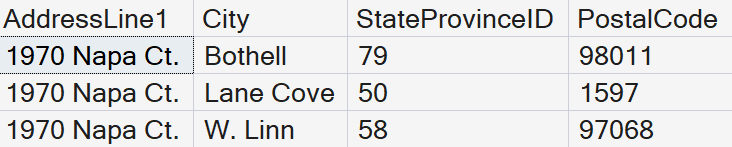
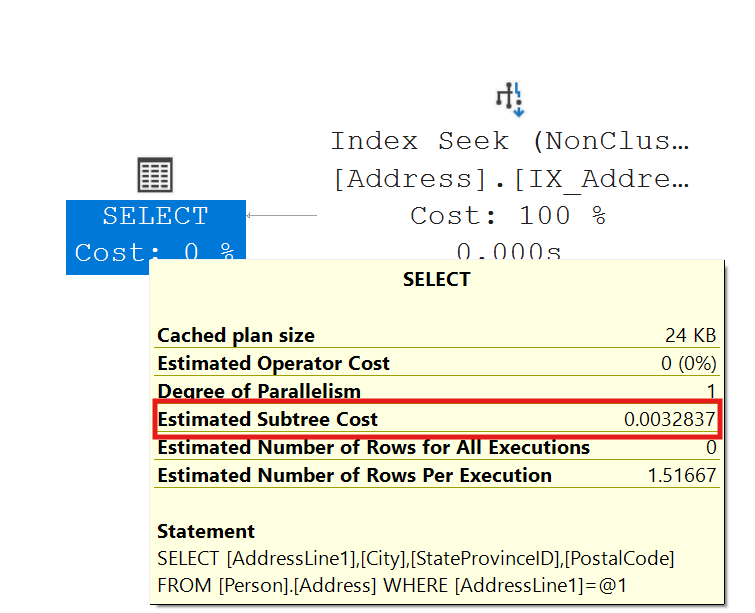
Three records are returned. An Index Seek was performed with a cost of .0032837.
While most reports might display data in this order, it is not the typical order the data would be searched. For example, people would be more than likely to search on the PostalCode or StateProvinceID columns. So, if the following query used the same index, performance would not be good.
SELECT City, StateProvinceID, PostalCode
FROM Person.Address
WHERE PostalCode = '98011';
GO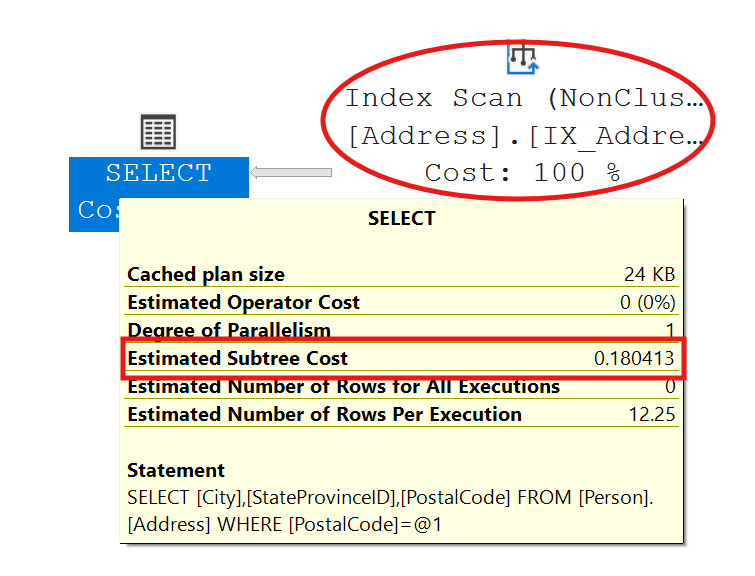
We have gone from an Index Seek with a cost of .0032837 to an Index Scan with a cost of 0.180413. That is a performance hit of 0.147576. This may not seem like much, but imagine we are returning millions of records, the performance cost is exponential. The reason we ended up with a scan is the search argument provided was not able to efficiently use the index.
Creating a New Index in SARGable Order
To improve performance, we would want to create an index that matched the order of the search arguments that the majority of people would use. This would make the index Search Argument Able (SARGable).
--Create New Index in SARGable order
CREATE NONCLUSTERED INDEX [IX_Postal_State_City]
	ON Person.Address(PostalCode, StateProvinceID, City);
GO
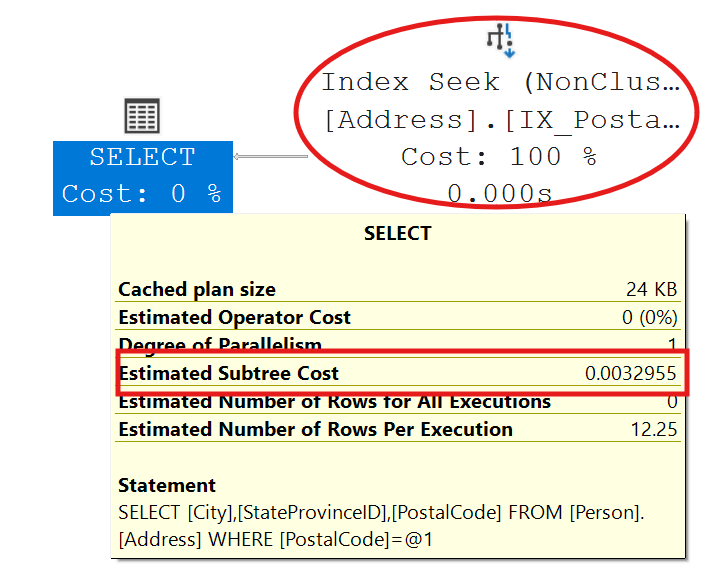
Search on the PostalCode column again using the previous code. Notice the query performed an Index Seek using the new index. Accordingly, our cost is back down to .0032955.
How Column Order Impacts Performance
The most important concept to understand with multi‑column indexes is this: SQL Server can only seek efficiently when predicates follow the index column order. Consider the index that we just created. The order of the columns is PostalCode, StateProvinceID, and then City. How SQL Server accesses this index depends entirely on how the query predicates are written.
Multi-Column Indexing Access (Seek Predicates)
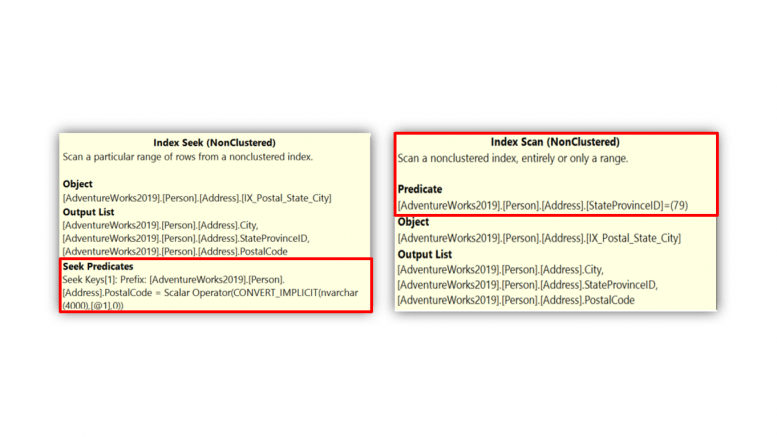
In the next two examples, filtering starts with the leading column (PostalCode), allowing the engine to navigate directly to the relevant portion of the index. These predicates are SARGable and will allow SQL Server to perform an index seek:
--Single value performs Index Seek.
SELECT City, StateProvinceID, PostalCode
FROM Person.Address
WHERE PostalCode = '98011';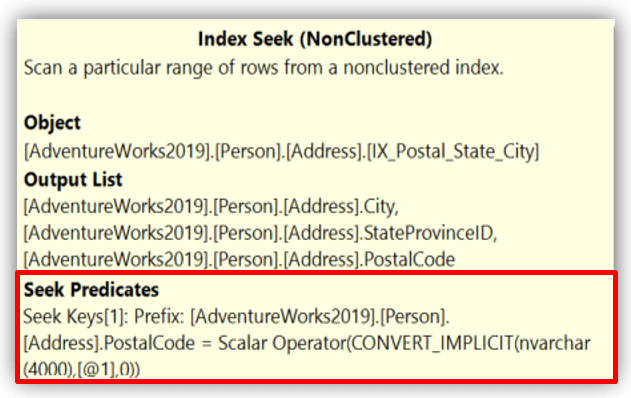
--Index Seek on both columns
--Search condition in same order as Index.
SELECT City, StateProvinceID, PostalCode
FROM Person.Address
WHERE PostalCode = '98011' AND StateProvinceID = 79;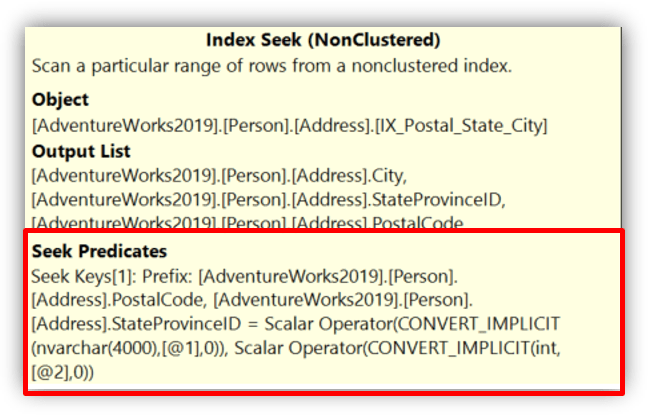
In the second query we could reverse the order StateProvinceID and then PostalCode and it would still perform an index seek. The query optimizer is intelligent enough to recognize that the leading column (PostalCode) was part of the search criteria.
Multi-Column Indexing Access (Scan Predicates)
Other predicate patterns will force index scans. In the next example, WHERE PostalCode = 98011 AND City = ‘Bothell’, SQL Server can seek on PostalCode but must scan within that range to evaluate City.
--Index Seek on first column
--After seek, will scan second column
SELECT City, StateProvinceID, PostalCode
FROM Person.Address
WHERE PostalCode = '98011' AND City = 'Bothell';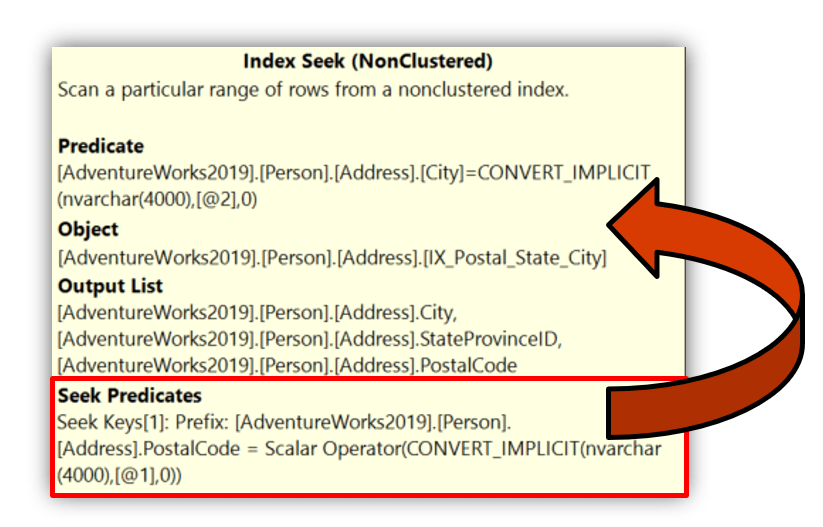
If the leading column is missing entirely, SQL Server cannot seek and must scan the index. For example, if we only search on StateProvinceID or City without including PostalCode in the search criteria.
--Search condition not in same order as Index.
--Performs Index Scan.
SELECT City, StateProvinceID, PostalCode
FROM Person.Address
WHERE StateProvinceID = 79
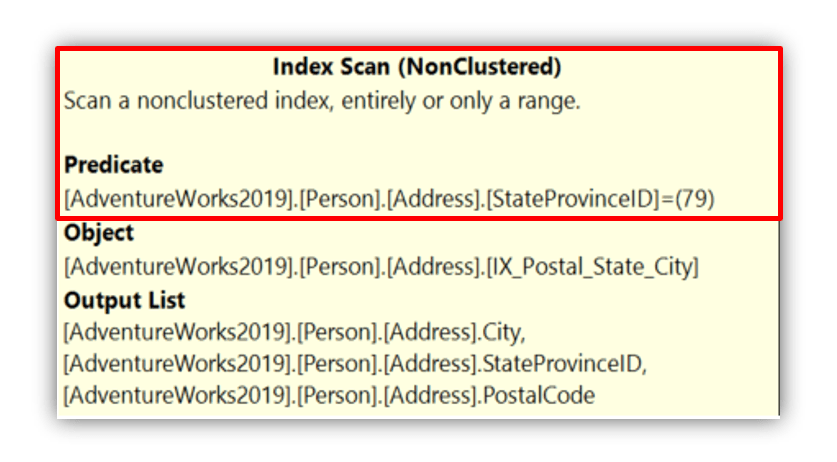
This behavior is not a flaw. It’s how ordered index structures work. SQL Server stores index keys in the defined order. Skipping the first column breaks the ability to navigate directly to a specific range.
When Index Scans Are Acceptable
While index seeks are ideal, not all scans are bad. But they may be an opportunity for optimization.
A non-clustered index typically contains far fewer columns than the clustered index or heap. Scanning a narrow non-clustered index can still be significantly cheaper than scanning the full table. This leads to an important design insight.
It’s often better to accept an occasional non-clustered index scan than to create multiple overlapping indexes that increase storage, maintenance, and DML cost. If queries frequently search on (Col1) or (Col1, Col2) and only rarely on (Col2) alone, a single multi‑column index may be the best overall solution, even if some queries scan.
Practical Guidance
When designing multi‑column indexes:
- Put the most selective and most commonly used predicate first
- Design for real query patterns, not theoretical ones
- Use included columns to cover high‑value queries
- Review execution plans regularly as workloads evolve
Multi‑column indexing is less about perfection and more about balance. balancing seek efficiency, index size, and ongoing maintenance.
Choosing an Indexing Strategy That Scales
Indexing strategy is never a one-time decision. Queries evolve, workloads change, and yesterday’s perfect index can become tomorrow’s liability. A few guiding principles help keep indexing under control.




Be the first to comment on "Multi‑Column Indexing in SQL Server"