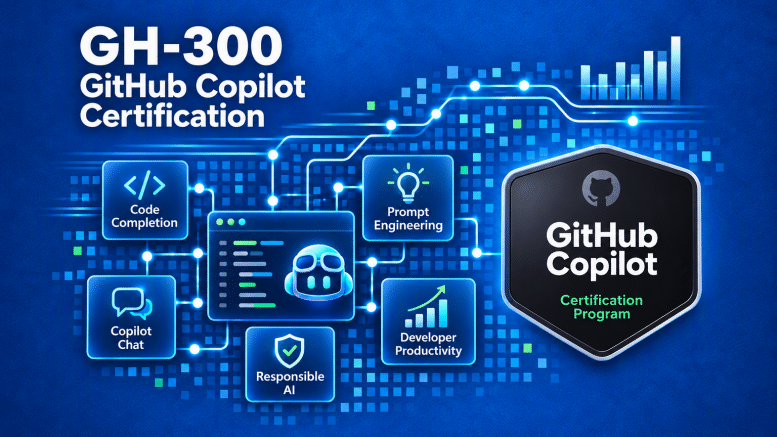
I recently passed the GH-300: GitHub Copilot certification exam, and I wanted to share the resources I used to prepare, along with a few practical tips that might help others working toward the certification. My preparation focused on understanding the concepts. I also found that some of the most important exam topics weren’t necessarily the most complicated.
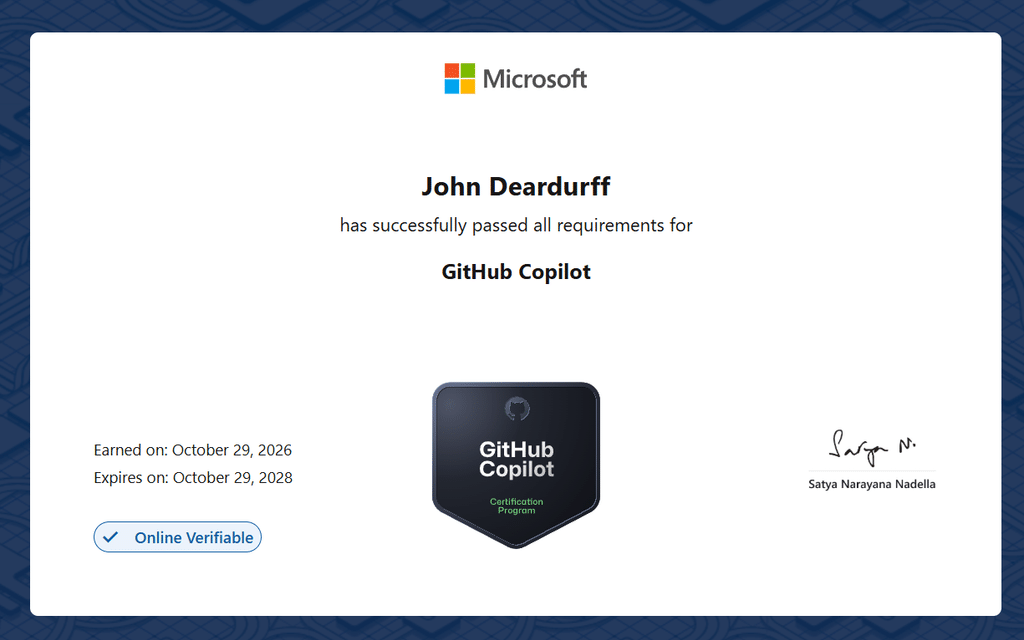
What Is the GH-300 GitHub Copilot Certification?
The GH-300 certification validates your understanding of GitHub Copilot and how to use AI-assisted development tools effectively, securely, and responsibly. The exam goes beyond simply knowing how to generate code. It covers how GitHub Copilot integrates into development workflows, how to write effective prompts, and how to evaluate AI-generated suggestions.
Some of the important topics include:
- GitHub Copilot Features: Knowing how Copilot supports development tasks and workflows.
- Prompt Engineering: Writing effective prompts that produce useful results.
- Developer Productivity: Using Copilot for code generation, testing, and documentation.
- Privacy and Security: Understanding how to protect sensitive data when working with AI.
- Responsible AI: Understanding the principles that guide responsible AI development.
- GitHub Copilot Plans: Understanding the available plans and their capabilities.
For developers, architects, technical trainers, and IT professionals, the certification provides an opportunity to validate practical AI development knowledge. Here are some of the resources I used to prepare for the exam.
GH-300 GitHub Copilot Video Playlist
One of my primary preparation resources was the GH-300 GitHub Copilot Playlist from my good friend Peter De Tender. The videos provide a structured introduction to GitHub Copilot and help reinforce the concepts covered in the certification. I enjoy video-based training because I can pause, review topics, and revisit explanations when necessary. My recommendation is to watch the videos while keeping the official exam objectives nearby.
Official GitHub Copilot Certification Page
The Microsoft Certified: GitHub Copilot official certification page is another excellent resource. I recommend bookmarking this page and using it as your primary reference. This page provides access to:
- Certification information.
- Official training materials.
- Microsoft Learn learning paths.
- The practice assessment.
- Exam scheduling information.
Official GH-300 Study Guide
Another resource worth reviewing is the official GH-300 Exam Study Guide. The study guide outlines the skills measured on the exam. I recommend treating it as a checklist. Review each objective and make sure you understand the underlying concepts. Don’t simply memorize terminology. Understand how the concepts apply to real-world development scenarios.
Microsoft Learn Training
Microsoft provides GH-300: GitHub Copilot Training through Microsoft Learn. The training reinforces the concepts introduced in the videos and provides additional context around GitHub Copilot capabilities. Even if you already use GitHub Copilot regularly, I recommend reviewing the official training. There is a difference between using a tool every day and understanding the security, privacy, and responsible AI considerations behind it. Microsoft also provides a free GH-300 Practice Assessment through the certification page. I recommend taking the practice assessment after completing the training.
Tips for Passing the GH-300 Exam
Tip 1: Trust, but Verify
GitHub Copilot can generate impressive code suggestions, explanations, and recommendations. However, every response should be reviewed and validated by a human. AI-generated code can contain errors, security vulnerabilities, or incorrect assumptions.
Developers should review generated code for:
- Accuracy and correctness.
- Security vulnerabilities.
- Performance considerations.
- Potential bias.
- Compliance with organizational standards.
- Alignment with development best practices.
GitHub Copilot is designed to assist developers, not replace their judgment. Even when generated code looks correct, it still needs to be reviewed and tested. My takeaway: GitHub Copilot can help write the code, but you are still the Captain and remain responsible for the result.
Tip 2: Obvious Answers Are Obvious
Sometimes the correct answer is the most straightforward one. Don’t overthink every question or assume there’s a hidden trick.
For example:
- Should AI-generated code be reviewed before production? Yes.
- Should developers validate Copilot suggestions? Absolutely.
- Should sensitive information be protected? Of course.
- Should developers follow responsible AI practices? Yes.
These are foundational concepts. When answering exam questions, read carefully, eliminate incorrect options, and trust your understanding of established best practices. Don’t make the exam more complicated than it needs to be.
Tip 3: Review GitHub Command Line Interface
Another area worth reviewing is authentication using the GitHub Command Line Interface (CLI). Even if you primarily work in Visual Studio Code, you should understand how GitHub CLI authentication works as well as an understanding of basic commands. Reference: GitHub CLI Authentication Documentation
Tip 4: Know Microsoft’s Six Responsible AI Principles
Microsoft has established six fundamental Responsible AI Principles that guide the development and use of AI systems. Understanding these principles is important because GitHub Copilot isn’t just about generating code. It’s also about using AI appropriately and responsibly.
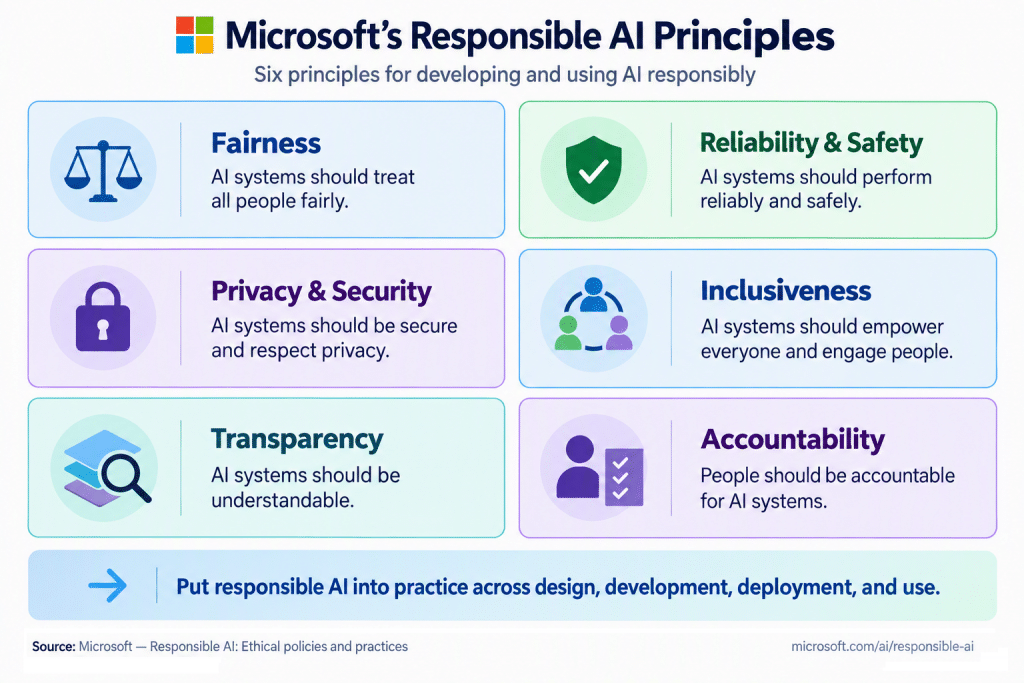
Make sure you’re comfortable with all six principles. And remember how these principles connect to my first tip: Trust, but verify. Human oversight and accountability remain essential when working with GitHub Copilot. Good luck with your GH-300 certification!
Be the first to comment on "GitHub Copilot Certification Study Resources"