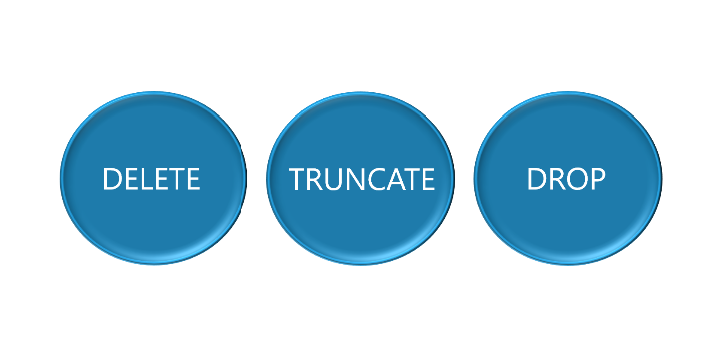
In this post, we will discuss the differences between DELETE, TRUNCATE, and DROP when removing data or tables. It comes down to what do you want to remove and what do you want to keep.
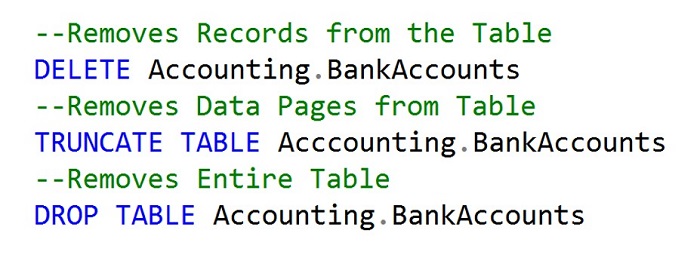
First of all, the DELETE statement is used to remove individual records from a table. This will still keep the underlying data pages and the table structure to be re-used to insert additional data.
TRUNCATE TABLE, on the other hand, does not care about removing individual rows. It will just remove the underlying data pages that are being used for the table. However, the table structure will still exist in this scenario as well.
DROP TABLE will completely remove the entire table structure from existence within the database.
Creating a Table for the Demonstration
To demonstrate this in action we will first start by creating the table Accounting.BankAccounts and adding some records. Review the Table Structures blog post on the steps to accomplish this setup.
CREATE SCHEMA Accounting Authorization dbo
CREATE TABLE BankAccounts
 (AcctID int PRIMARY KEY,
  AcctName char(15),
  Balance money,
  ModifiedDate date)
GO

INSERT INTO Accounting.BankAccounts
VALUES(3,'Jack',500, GETDATE()),
	  (2, 'Diane', 750, GETDATE()),
	  (4, 'John', 650, GETDATE()),
	  (1, 'Dora', 725, GETDATE())
GO

SELECT AcctID, AcctName, Balance, ModifiedDate
FROM Accounting.BankAccounts
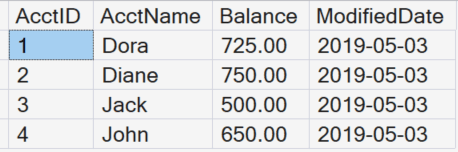
Notice that we have four records returned when we SELECT from the Accounting.BankAccounts table.
Deleting Records from a Table
We will first DELETE a record from the table. We could remove all records, but for now we will just remove AcctID =2 so that we will still have records to remove for the Truncate statement.
DELETE Accounting.BankAccounts
WHERE AcctID = 2
Now that we deleted a record, run the SELECT statement to see the row was removed.
SELECT AcctID, AcctName, Balance, ModifiedDate
FROM Accounting.BankAccounts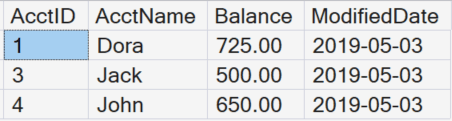
Next, we will run a DBCC IND statement to show that the pages still exist for that table.
DBCC TRACEON (3604)
DBCC IND (0,'Accounting.BankAccounts',-1)
Truncating Records from the Table
Now we will use the TRUNCATE statement to not only remove all the records, but also the actual data pages from the disk.
TRUNCATE TABLE Accounting.BankAccountsWhen we run the SELECT statement, all the records have been removed, but the table still remains.
SELECT AcctID, AcctName, Balance, ModifiedDate
FROM Accounting.BankAccounts
However, when we run the DBCC IND statement the pages no longer exist for the data rows.
DBCC TRACEON (3604)
DBCC IND (0,'Accounting.BankAccounts',-1)
Dropping the Table
Finally, when we DROP the table, you will notice the table will no longer exist.
DROP TABLE Accounting.BankAccountsTry to SELECT from the table again.
SELECT AcctID, AcctName, Balance, ModifiedDate
FROM Accounting.BankAccounts
Summary
This post explains the differences between DELETE, TRUNCATE, and DROP in T-SQL using clear, easy‑to‑understand examples. It walks through what each command does, how much data it removes, and whether the table itself is kept or removed.




Leave a comment